If you have previously sent an invite so that a second person can register on MyCadet, you can withdraw their access at any time.
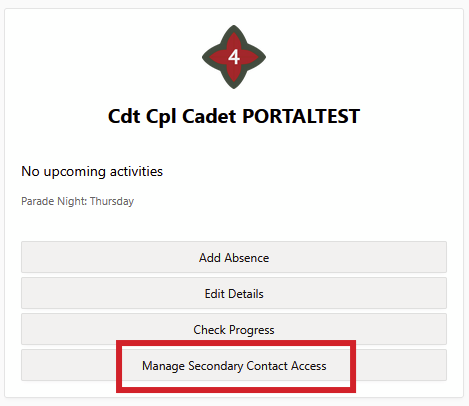
Click Manage Secondary Contact Access on your MyCadet homepage:
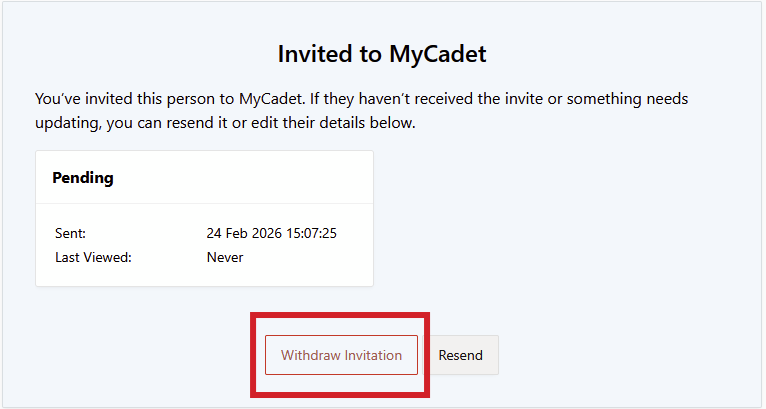
If they have not used the invite to register yet, it will give you the option to withdraw the invite:
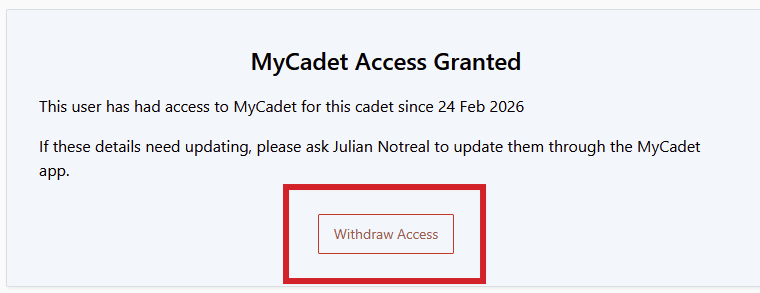
If they have already registered, you can withdraw their access by clicking Withdraw Access:
Was this article helpful?
That’s Great!
Thank you for your feedback
Sorry! We couldn't be helpful
Thank you for your feedback
Feedback sent
We appreciate your effort and will try to fix the article