
Another person can be added to your cadet's account as a secondary contact/ alternative next of kin.
It enables that person to have the same access to MyCadet as the primary next of kin.
Access for this secondary contact is controlled by the primary next of kin via their MyCadet account.
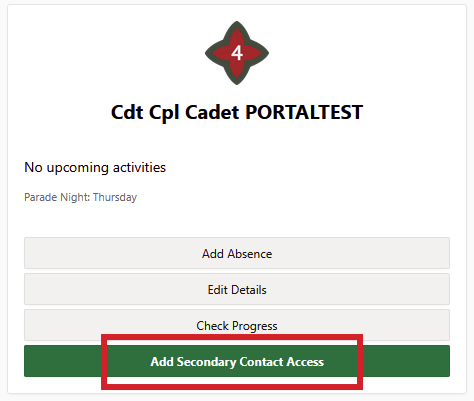
To add a secondary contact, on your MyCadet homepage, click Add Secondary Contact Access:
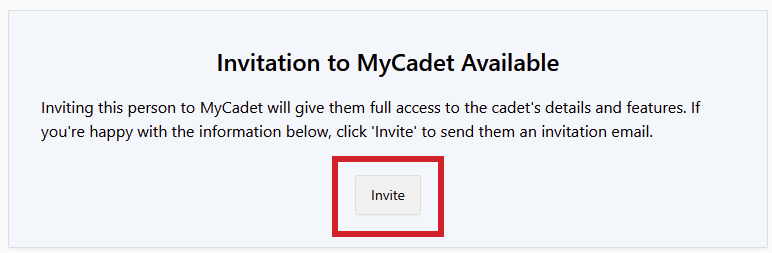
From here you can add their details and trigger a registration invite to be sent to their email address:
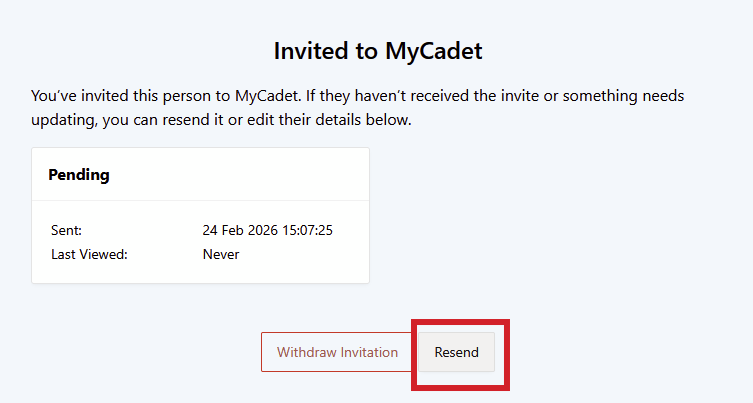
If you need to resend the invitation, click the Resend button:
If you need to remove the secondary contact's access to MyCadet please see How do I remove the secondary contact's access to MyCadet?
All screenshots and references to persons are taken from the Westminster Training or Development environments. All information contained in these guides has been anonymised and no real personal information is displayed.